Withdrawal Methods
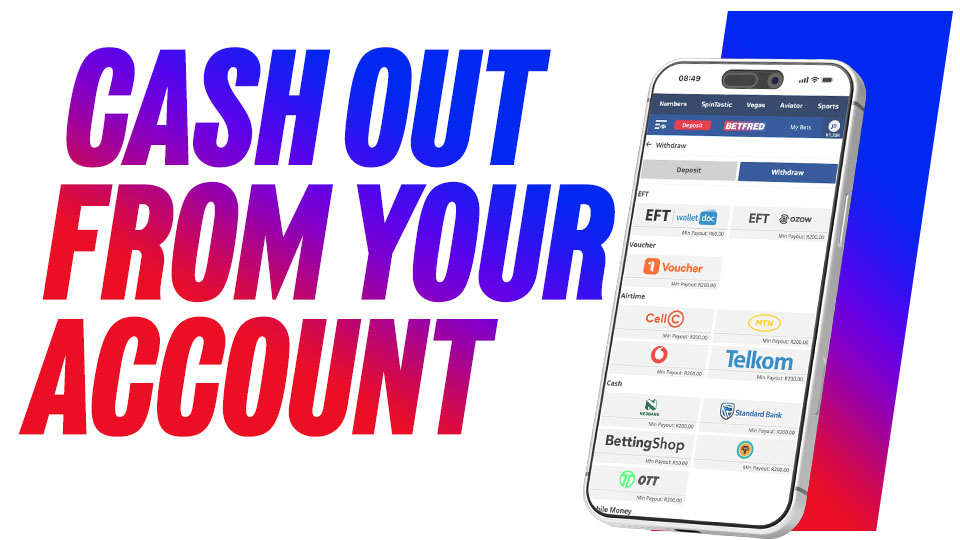
How to Withdraw Funds
Betfred understands the importance of our customers being able to withdraw as quickly and securely as possible, so we offer a variety of ways for you to get your hands on your winnings – from EFT and MoneyMarket Vouchers to ATM Withdrawals or even claiming your cash straight from one of our many stores. You can choose the withdrawal method that best works for you!
EFT Cash Out
Once you have saved your banking details on your profile page you will be able to withdraw winnings directly into your bank account using either of our safe and secure EFT options.
EFT
- Click on EFT on the Withdrawals page
- Enter the amount you wish to withdraw
- Click on "Request Withdraw"
Ozow
- Click on Ozow on the Withdrawals page
- Confirm your bank provider
- Enter the amount you wish to withdraw
- Click on "Request Withdraw"
Withdraw Now
Voucher Cash Out
1Voucher- Click on 1Voucher logo on the Withdrawals page
- Enter the amount you wish to withdraw
- Click on "Request Withdraw"
- You will receive a PIN via SMS that you can use in any one of the Retail (Flash) stores
- Present your PIN in store to purchase
- Once you have made your purchase a new pin would be issued to you via SMS for the remaining balance of your withdrawal for you to make further purchases (Please make sure that you receive a new PIN before leaving the store)
Shoprite Money Market Voucher Account
Instantly withdraw your winnings into your Shoprite MoneyMarket Account in the form of a voucher that will enable you to pay for goods/services in any of their stores, pay someone else using your phone, pay bills and accounts, send grocery vouchers or buy prepaid electricity, airtime and more! Note that this option does not enable you to withdraw the winnings as cash from your Shoprite MoneyMarket account
Learn More
- Click on Shopright MoneyMarket Account on the Withdrawals page
- Enter the amount you wish to withdraw
- Click on "Request Withdraw"
- Voucher will be instantly available in your Shoprite MoneyMarket Account (Make sure that you have the Shoprite app on your mobile, as your withdrawal requested amount would be sent to the app)
- Once you have made a purchase at Shoprite, you may either request the balance to be paid out in cash or alternatively you may request that the balance remain on your app for further purchasing.
Withdraw Now
Instant Cash Out
Betfred StoresWithdraw cash from your Betfred Online account from any of our 60+ retail locations around the country.
FNB Instant Cash
- Click on FNB logo on the Withdrawals page
- Enter the amount you wish to withdraw
- Click on "Request Withdraw"
- You will receive a PIN via SMS that you can use to withdraw your cash at any FNB ATM.
Nedbank Instant Cash
- Click on Nedbank logo on the Withdrawals page
- Enter the amount you wish to withdraw
- Click on "Request Withdraw"
- You will receive a PIN via SMS that you can use to withdraw your cash at any Nedbank ATM.
Standard Bank Instant Cash
- Click on Standard Bank logo on the Withdrawals page
- Enter the amount you wish to withdraw
- Click on "Request Withdraw"
- You will receive a PIN via SMS that you can use to withdraw your cash at any Standard Bank ATM.
Withdraw Now